Primitives.
Rigged rectangles and circles, plus shape-layer Solids, Nulls and Adjustment layers.
What it does
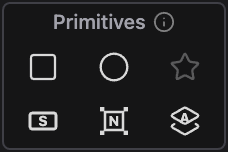
Create a rectangle or circle whose size, skew and fill live on sliders in the Effect Controls. With layers selected, it sizes itself to sit behind them. The Solid, Null and Adjustment buttons make shape-layer versions of those layers, and the Null parents the selected layers to it.
Controls
- Click: Create a rigged shape or shape-layer Solid / Null / Adjustment
- Shift: Place the Null at the comp center
Details
- Category: Layer Tools
- Kind: Widget
- Also searched as: shape, rectangle, rect, circle, primitive, rig, parametric, solid, null, adjustment, layer, void
Guide
Rectangle and Circle
Click Rectangle or Circle to add a shape layer with an Altar - Rectangle or Altar - Circle effect. Edit the shape from that effect in the Effect Controls, not from the shape contents:
- X Size and Y Size in pixels, plus X Scale and Y Scale
- Roundness, in percent or pixels (Rectangle only)
- Skew and Fill Color
- Transform: anchor (as a percentage of the shape) and an X/Y offset
With nothing selected you get a square or circle in the middle of the comp, half the size of its shorter side. With layers selected, the shape is sized and placed to sit behind them and trimmed to their timing. Rotation is ignored when it measures the selection.
Solid, Null and Adjustment
These are shape-layer versions of the standard After Effects layers, so they do not add solids to your Project panel.
- Solid: a gray rectangle that fills the comp.
- Adjustment: the same full-comp rectangle, set as an adjustment layer, so it affects every layer below it.
- Null: a guide-layer marker. With one layer selected, the Null takes over that layer’s transform animation and the layer is parented to it. With several layers selected, the Null goes at their midpoint and they are parented to it without moving. Shift-click to place the Null at the comp center instead and parent the selection without moving anything.
Each click is a single undo step.