Script
Parent to Last.
Parent selected layers to the one you selected last.
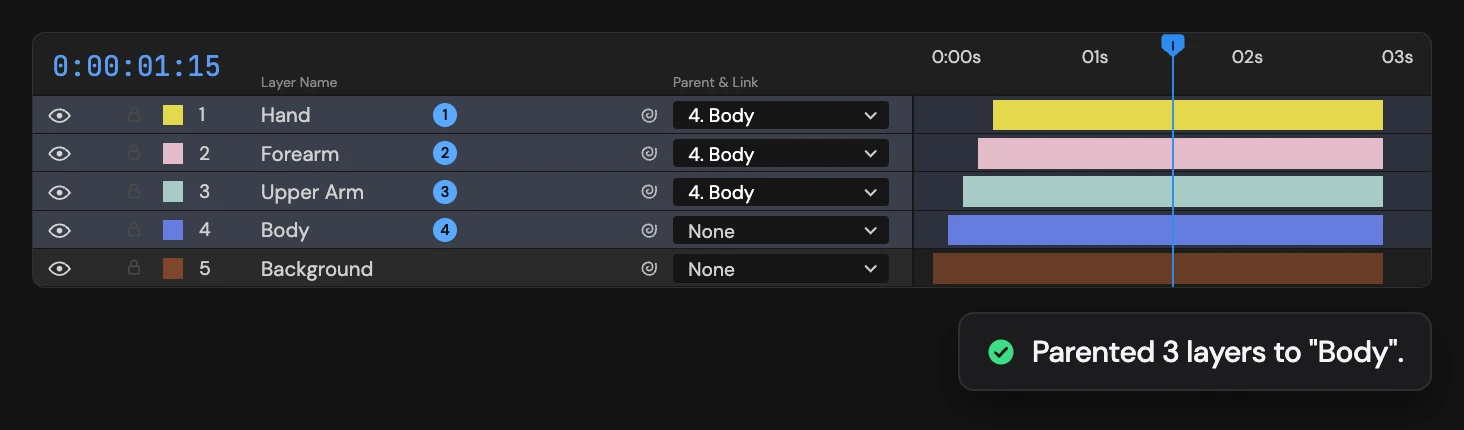
What it does
Select the children first, then the parent. Every other selected layer becomes a child of the last one, which keeps its own parent. Nothing changes if a child is locked or the parent already sits under one of the children.
Controls
- Click: Parent to last selected
Details
- Category: Layer Tools
- Kind: Script
- Also searched as: parent, last, selected, hierarchy, layers
Guide
Use it
Select the children first, then Ctrl/Cmd-click the layer that should be the parent last, and click Parent to Last. Every other selected layer becomes a child of the last one.
It goes by the order you clicked, not the order in the Timeline. To start a fresh order, deselect everything and select again.
- The parent keeps its own parent, so you can parent into an existing rig.
- Children keep their place on screen, as with After Effects’ pick whip.
- Unselected layers are not touched.
When nothing happens
Altar changes nothing and tells you why when:
- fewer than two layers are selected,
- a child is locked (unlock it first),
- the parent already hangs under one of the selected children, which would make a loop. Unparent it first.
One Undo restores every previous parent.