Parent Chain.
Chain selected layers in the order you selected them.
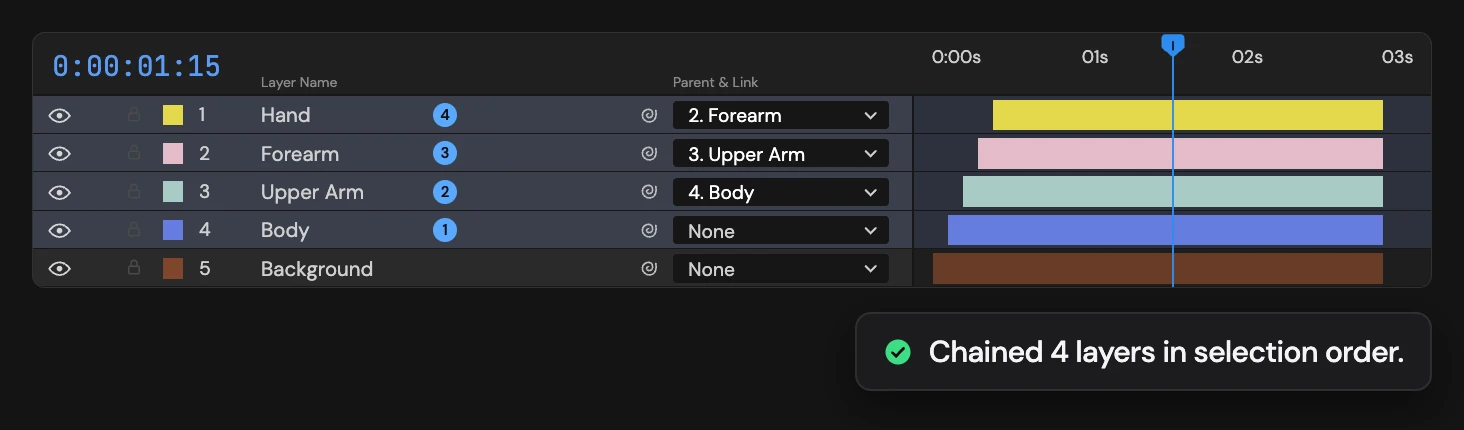
What it does
Links the selected layers in the order you selected them: each one becomes a child of the layer you selected before it. The first layer heads the chain and loses any parent it had.
Controls
- Click: Chain-parent in selection order
Details
- Category: Layer Tools
- Kind: Script
- Also searched as: parent, chain, order, selection, hierarchy, layers
Guide
Use it
Select layers one by one in the order the chain should run, top of the chain first, then click Parent Chain. Each layer becomes a child of the one you selected before it, so moving the first layer moves them all, and each link down the chain adds its own motion.
It goes by the order you clicked, not the order in the Timeline. To start a fresh order, deselect everything and select again.
- The first layer heads the chain and loses any parent it had.
- Layers already linked the right way are left as they are.
- Children keep their place on screen, as with After Effects’ pick whip.
Select at least two layers, and unlock them first: if any selected layer is locked, nothing changes. One Undo restores every previous parent.