Trim Comp to Content.
Trim the comp to the length of its layers.
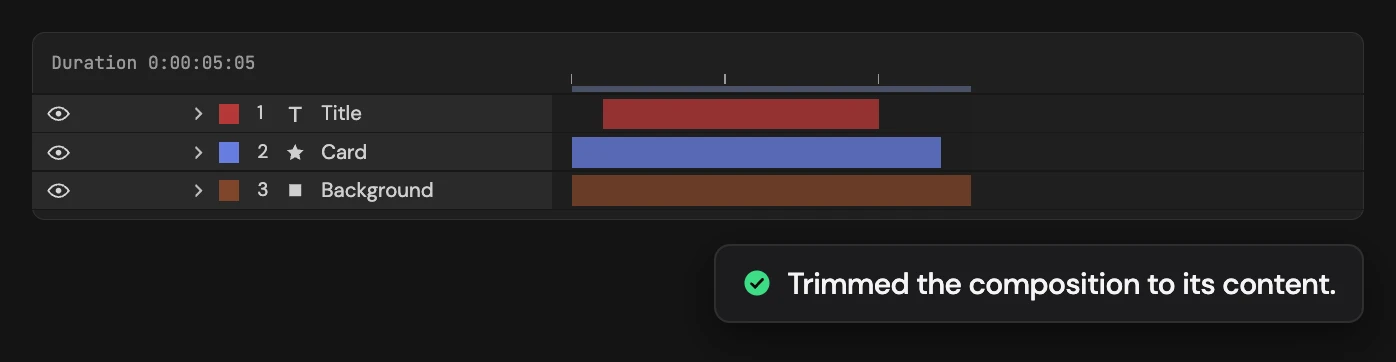
What it does
Shortens the active composition so it runs from the earliest layer in point to the latest out point, and sets the work area to match. Every layer counts, including hidden, guide and locked ones. Ctrl / Cmd measures the selected layers only.
Controls
- Click: Trim the comp to its content
- Ctrl/Cmd: Trim to selected layers only
Details
- Category: Composition Tools
- Kind: Script
- Also searched as: composition, comp, trim, duration, work, area, time
Guide
Trim
- Open the composition.
- Click Trim Comp to Content.
Altar sets the work area from the earliest layer in point to the latest out point, then runs After Effects’ own Trim Comp to Work Area. The comp now covers exactly that range. Every layer counts, including hidden, guide and locked layers. Layers that start before the comp does are moved forward first so nothing is cut.
Trim to the selection
Hold Ctrl (Windows) or Cmd (macOS) as you click to measure only the selected layers. Layers outside that range are trimmed with the comp. With nothing selected it measures every layer.
It trims by layer timing, not by what is visible. Each click is a single undo step.