Script
Add Typewriter Animation.
Type text on, character by character.
What it does
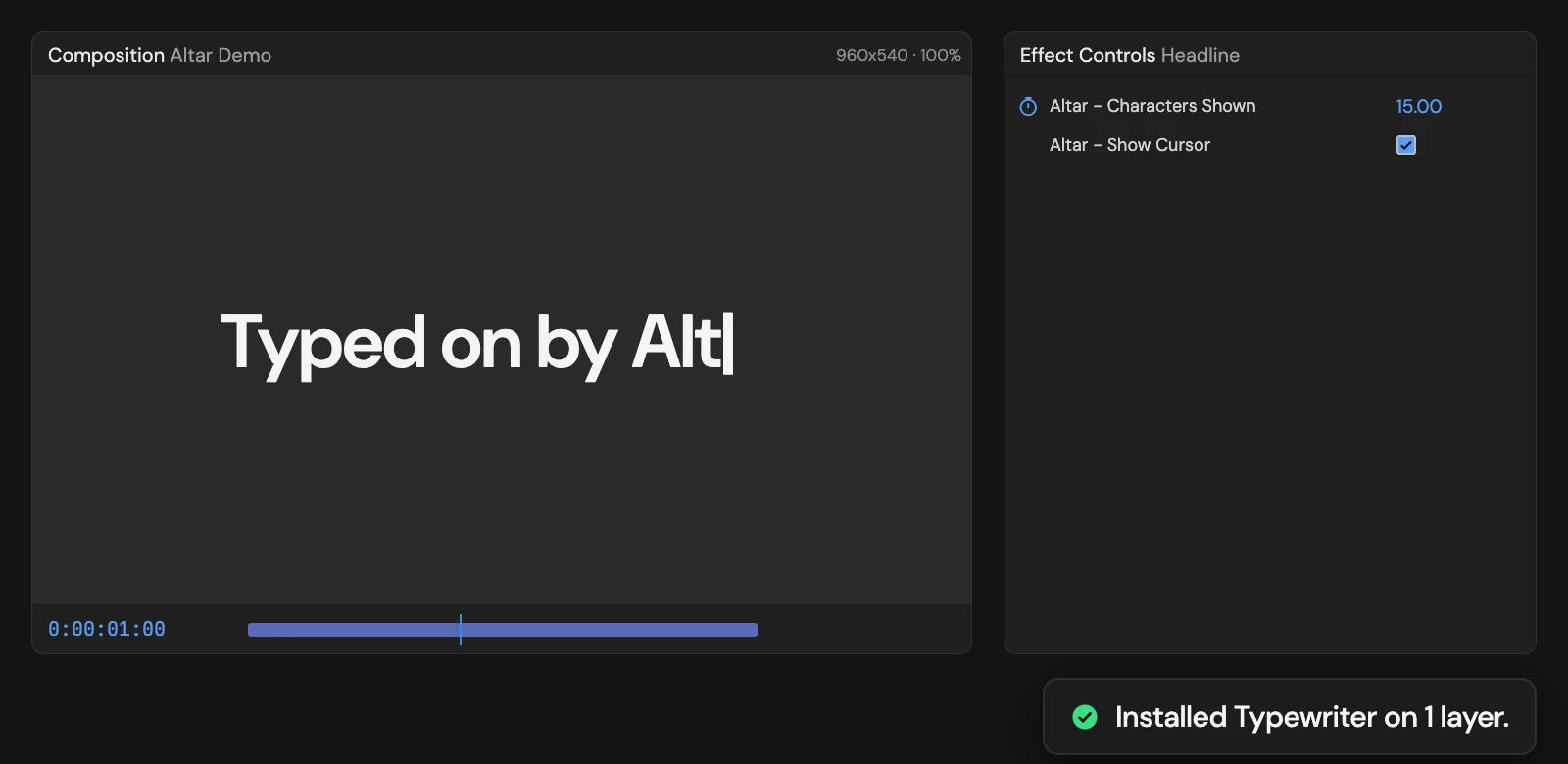
Types each selected text layer on from its in-point at about 15 characters a second, with a blinking cursor until the last character. Characters Shown is keyframed in Effect Controls, so you can retime it, and Show Cursor turns the cursor off. The text is captured when you click, so edit it first. With nothing selected, it creates a new text layer.
Controls
- Click: Install Typewriter
Details
- Category: Text Tools
- Kind: Script
- Also searched as: text, typewriter, reveal, cursor, characters
Guide
Use it
Write your text first, then select the text layer and click Add Typewriter Animation. With nothing selected, Altar creates a new text layer reading “Type your text”.
The text types on from the layer’s in-point at about 15 characters a second, with a blinking | cursor that disappears once the last character is in. Two controls appear in Effect Controls:
- Altar - Characters Shown has two keyframes, from 0 to the full length. Move the second keyframe to type faster or slower, or add easing.
- Altar - Show Cursor turns the cursor off.
Good to know
- The text is captured when you click. Editing the text afterwards does not change what types on: undo, edit the text, then add the Typewriter again.
- Clicking again on a layer that already types on leaves it as it is.
- Every selected layer must be a text layer, or nothing changes. One Undo removes the animation.