Script
Enable Expressions.
Enable expressions in the selection.
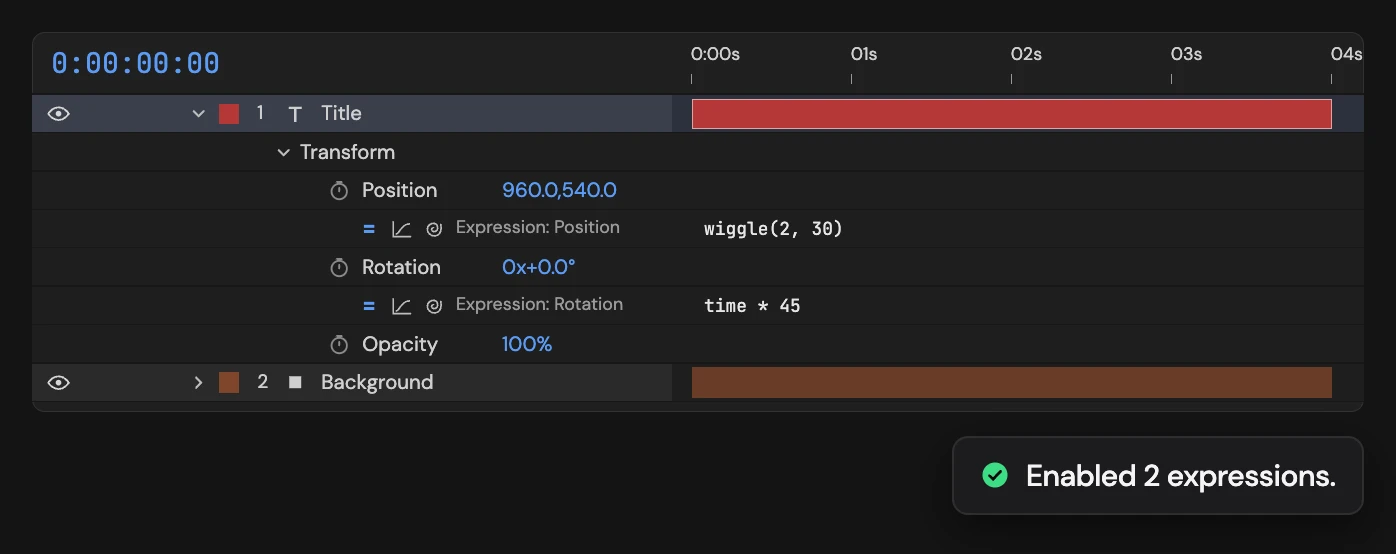
What it does
Turns on every disabled expression on the selected properties. With layers selected instead, it covers every property on those layers.
Controls
- Click: Enable selected expressions
Details
- Category: Expression Tools
- Kind: Script
- Also searched as: expression, enable, activate, on
Guide
Turn expressions on
- Select the properties, or the layers, whose expressions you switched off.
- Click Enable Expressions.
Every disabled expression in the selection is switched back on, with its code as it was. Expressions that are already on are left alone.
What it covers
- Properties selected: only those properties, including everything inside a selected property group such as Transform.
- Only layers selected: every property on those layers, effects and masks included.
If the selection has no expressions to change, Altar tells you and nothing changes.
Each click is a single undo step.