Add Elastic Overshoot.
Add a decaying bounce after keyframes.
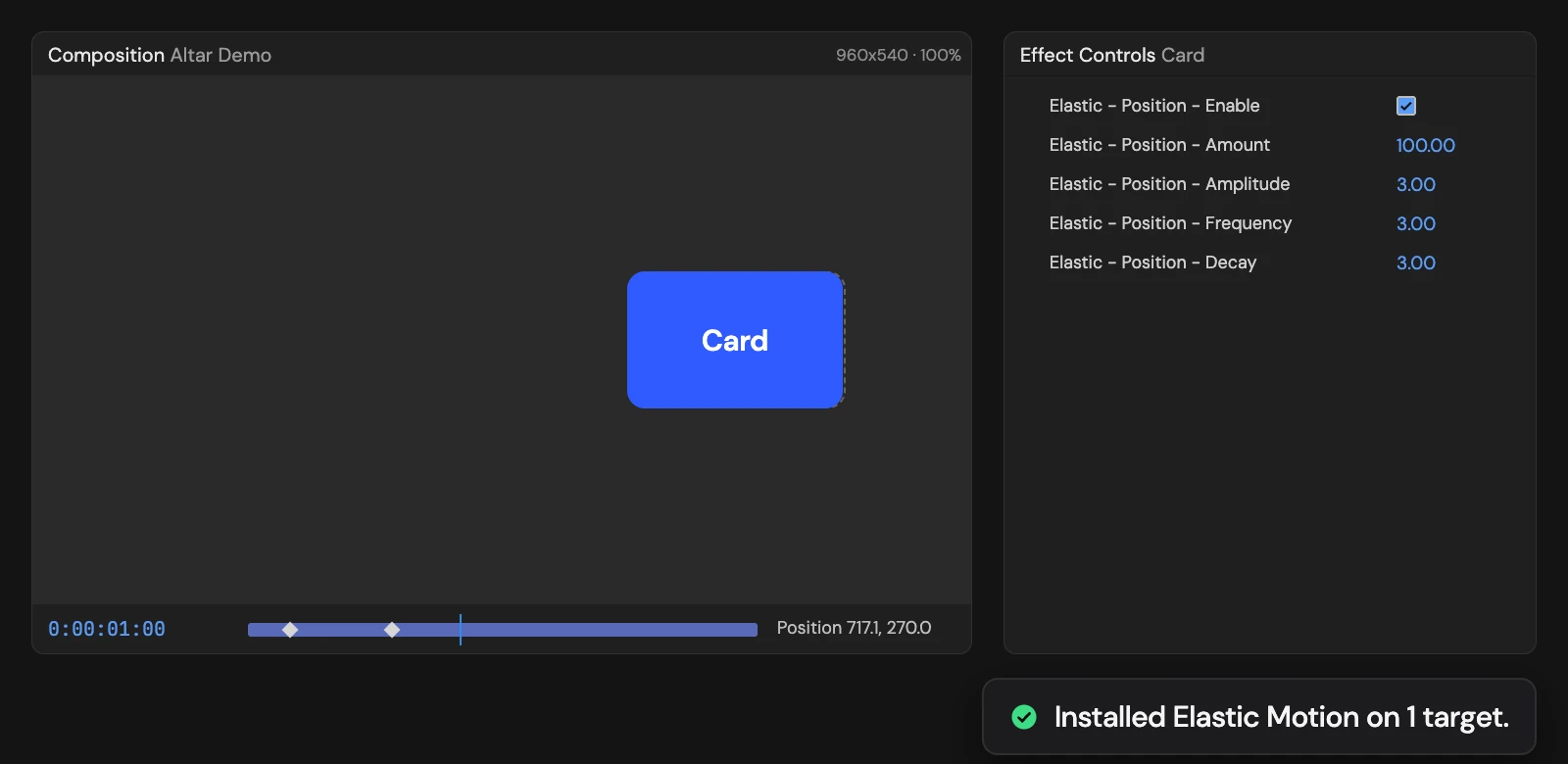
What it does
Makes each selected property overshoot and settle after every keyframe it reaches at speed. Amount, Amplitude, Frequency and Decay in Effect Controls shape the bounce, and your keyframes stay as they are. A keyframe reached with Easy Ease has no speed left, so it does not bounce. Select property rows, not just layers.
Controls
- Click: Rig selected properties
Details
- Category: Animation Tools
- Kind: Script
- Also searched as: elastic, overshoot, spring, keyframes, animation
Guide
Use it
Animate first. Then select the keyframed property rows in the Timeline (Position, Scale, Rotation and so on) and click Add Elastic Overshoot. Selecting a layer alone is not enough: open it and select the properties.
After each keyframe, the property carries on past the value, swings back and settles, like a spring. The bounce is sized from the speed the property had as it reached the keyframe, so a fast move bounces more than a slow one.
Each property gets its own controls in Effect Controls, named after it, for example Elastic - Position - …:
- Amount (100) scales the whole effect. 50 is half the bounce.
- Amplitude (3) is how far it overshoots.
- Frequency (3) is how many swings a second.
- Decay (3) is how quickly it settles. Higher settles sooner.
- Enable turns the bounce off.
Good to know
- A keyframe reached with Easy Ease has no speed left, so nothing bounces. Use a linear or ease-out-only arrival into the keyframe that should bounce.
- Your keyframes are not changed; the bounce is an expression on top.
- The Tool replaces any expression already on the selected properties. One Undo removes the bounce and its controls.