Script
Add Opacity Flicker.
Make layers flicker on and off at random.
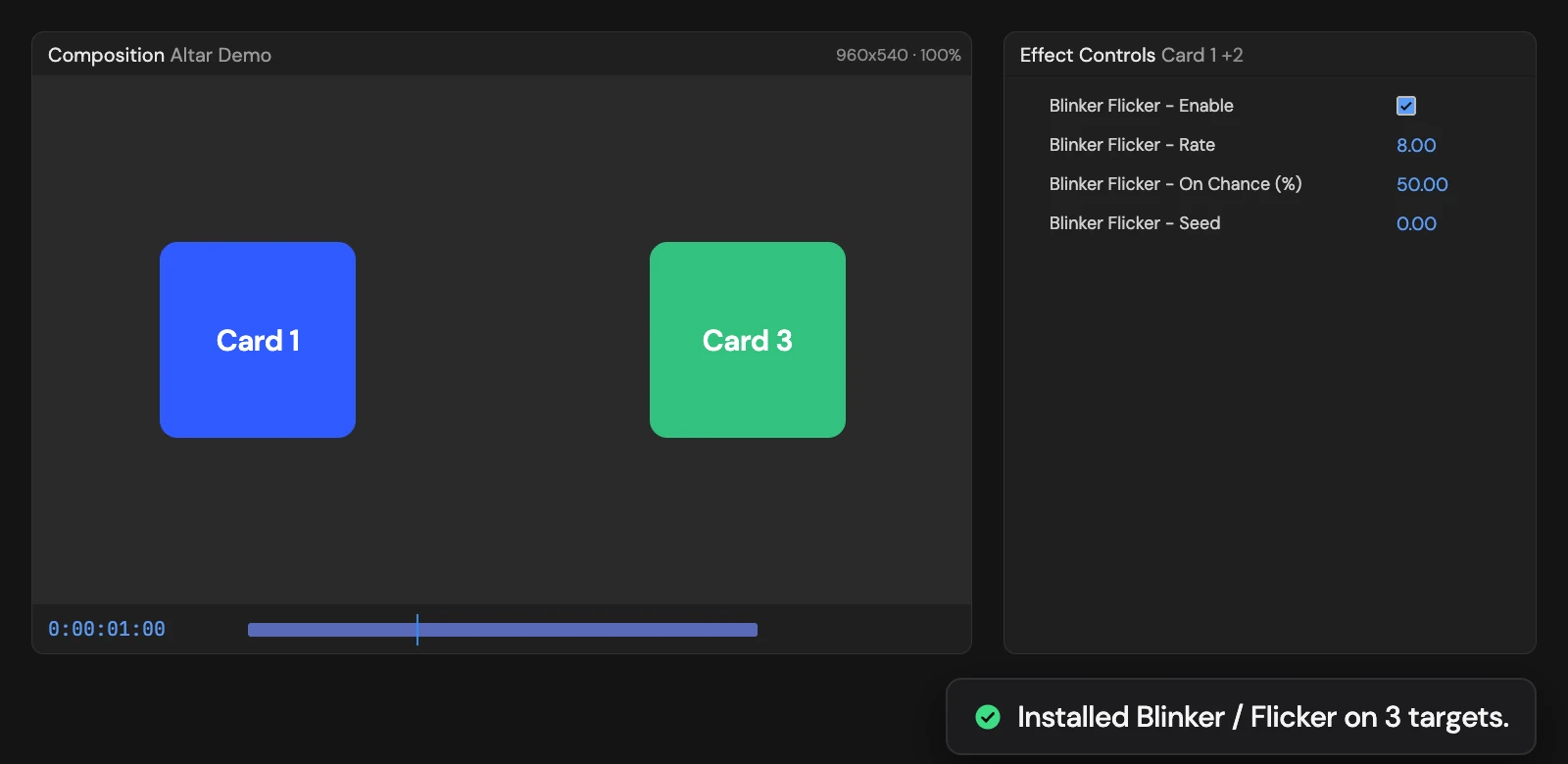
What it does
Switches each selected layer between its own opacity and zero at random, 8 times a second with a 50% chance of being on. Rate, On Chance (%) and Seed in Effect Controls set the speed, how often it is on and the pattern.
Controls
- Click: Install Flicker rig
Details
- Category: Animation Tools
- Kind: Script
- Also searched as: blink, flicker, opacity, random, animation
Guide
Use it
Select one or more layers and click Add Opacity Flicker. Each layer switches between its own Opacity and fully off at random, like a faulty light.
Controls appear in Effect Controls, named Blinker Flicker - …:
- Rate (8) is how many times a second the layer can switch.
- On Chance (%) (50) is how likely it is to be on at each step. 90 gives an occasional drop-out; 10 an occasional flash.
- Seed picks a different pattern. Layers already get different patterns from each other.
- Enable turns the flicker off.
Good to know
- The pattern is the same every time you preview or render.
- The Tool replaces any expression already on Opacity. One Undo removes the flicker and its controls.